If you’ve invested in 3d 360 virtual tour rendering for an off-plan development, the last thing you want is for that asset to quietly destroy your website’s performance in the background. Knowing how to embed 360 virtual tour renders on developer websites and property portals without killing page speed is genuinely one of the most overlooked technical problems in property marketing. We see it constantly — a developer spends real money on a high-quality interactive tour, hands it to a web team who drops it in with a basic iframe, and suddenly Google’s Core Web Vitals are in the red, mobile users are bouncing before the tour even loads, and the sales enquiry rate drops off despite the visual asset being exceptional. The tour itself isn’t the problem. The implementation is.
This isn’t a niche concern either. Property portals, new-build landing pages, and developer microsites are highly competitive environments where page speed directly affects search ranking, ad quality scores, and user retention. A slow-loading 360 tour on a listing page can push buyers away before they’ve even seen what the unit looks like. Getting the technical integration right is just as important as getting the render quality right — and in our studio, we brief every client on embed strategy before we even talk about delivery format.
Why 360 Tours Are Heavy and What That Actually Means for Your Site
A rendered 360 virtual tour is not a single image. It’s typically a set of equirectangular images — often multiple rooms stitched into a navigable tour — with hotspot data, transition logic, and a JavaScript viewer engine running on top. Even a modest 5-room tour can involve several high-resolution panoramic images, each needing to be at least 6000×3000 pixels for the kind of quality that holds up when a buyer pinch-zooms on their phone.
The viewer itself — whether you’re using Matterport embeds, Kuula, Pannellum, or a custom WebGL solution — adds script weight. Then add autoplay preloading, gyroscope tracking for mobile, and fallback image layers, and you’ve got an asset that can easily add several megabytes of initial payload to a page that should ideally load its first meaningful content in well under two seconds. That’s the core tension: the tour needs to be rich enough to impress, but can’t be allowed to dominate the page load at the expense of everything else.
How to Embed 360 Virtual Tour Renders on Developer Websites and Property Portals Without Killing Page Speed: The Core Techniques
1. Lazy Load the Iframe — Always
The most common mistake I see is developers embedding a 360 tour iframe at the top of a listing page with no loading deferral. The browser tries to load the entire tour viewer — including all its JavaScript dependencies — before it finishes rendering the property headline, the hero image, or the enquiry form. None of those things should wait for a 360 tour to initialise.
The fix is simple: use the loading="lazy" attribute on your iframe, and back it up with an Intersection Observer in JavaScript that only injects the iframe into the DOM when the user scrolls near that section. This means the tour doesn’t touch the network at all until the user actually approaches it. On a typical property listing page, this alone can dramatically cut initial page weight.
2. Use a Facade Pattern for Above-the-Fold Placement
If the 360 tour is the hero element — which some developers prefer for showstopper listings — you need a facade approach. This means displaying a static preview image (a flat screenshot of the first scene, typically the main living area) with a play button overlaid. The actual tour viewer only loads when the user clicks to activate it. This is the same technique YouTube uses for embedded videos, and it’s just as effective here. You get the visual impact of the tour in the hero without the performance cost of initialising a WebGL viewer on page load.
We always deliver a set of flat preview thumbnails alongside our 360 tour packages for exactly this purpose. Ask your rendering studio for them if they haven’t provided them automatically.
3. Optimise the Equirectangular Source Images
The viewer engine loads panoramic tiles progressively, but the quality and compression of those source images still matters enormously. For web delivery, we recommend:
| Use Case | Recommended Format | Compression Notes |
|---|---|---|
| Desktop browser tour | WebP (with JPEG fallback) | Quality 80-85, progressive encoding |
| Mobile browser tour | WebP at reduced tile size | Cap tile resolution, lazy-load far tiles |
| Property portal embed | JPEG (portal-enforced format) | Strip EXIF, quality 82, no embedded ICC |
| Print or planning submission | TIFF or full-res JPEG | No compression, maximum quality |
This also connects to something we’ve written about in more depth — what file formats should a 3d rendering studio deliver and why it matters for print web and planning submissions. The short version: never use the same file for web embedding as you would for print. They have completely different requirements.
4. Host the Tour on a Dedicated CDN, Not Your Web Server
Serving large panoramic assets from a shared hosting environment or even a standard VPS is a recipe for slow load times under traffic. The equirectangular images and viewer JavaScript should be served from a CDN with edge nodes close to your audience. If you’re using a third-party tour platform like Kuula or Roundme, this is handled for you — but verify their CDN coverage includes your primary markets (UK, EU, GCC if applicable). If you’re hosting a custom-built tour, AWS CloudFront, Cloudflare R2, or similar should be your default.
5. Manage iFrame Sandbox Attributes and Third-Party Script Blocking
Property portals are often stricter than developer microsites. Many portals — Rightmove, Zoopla, OnsiteIQ equivalents — don’t allow raw JavaScript injection, so the tour must be embedded via an iframe pointing to an externally hosted URL. In this case, the performance burden shifts to the tour host, not the portal. Your job is making sure that hosted URL is fast on its own — because the portal iframe inherits that performance for the user.
Also watch for third-party scripts inside the tour embed itself (analytics, tracking pixels, chat widgets). Every additional script the tour viewer loads adds latency. Strip anything non-essential from the tour’s hosted page.
What Property Portals Actually Allow — and What They Don’t
Rightmove and Zoopla both support virtual tour links and iframes in specific listing fields, but they don’t give you control over how those are embedded at the portal level. What you can control is the hosted tour experience that those links point to. Keep that page as lean as possible — no heavy navigation menus, no unrelated scripts, no video autoplay. It should be a single-purpose page: the tour, a property headline, and a contact CTA.
For developer microsites — which is where you have full technical control — the techniques above give you everything you need. We’d also recommend using a tag manager to defer analytics and pixel scripts until after the main content loads. Google Tag Manager’s built-in trigger options make this straightforward without touching the core codebase.
The Relationship Between Tour Quality and Embed Format
There’s a direct connection between how detailed your tour needs to be and how heavy the embed will inevitably become. A 360 tour for a single luxury apartment is different from an interactive walkthrough of a 200-unit build-to-rent scheme. For larger schemes, we typically recommend building the tour in tiled spherical format with progressive quality loading — the viewer loads a low-resolution version of the scene immediately and sharpens it as tiles download. This gives users something interactive almost instantly, which is far better for perceived performance than a blank screen with a spinner.
If you’re also using animation alongside your tours, understanding the format tradeoffs is worth time — animation vs static renders for property developer sales brochures which format converts better at each stage of the funnel goes into this in more detail. 360 tours tend to sit between static renders and full animation in terms of production cost and engagement, and understanding where they fit in your overall asset strategy matters.
Common Mistakes Developers Make When Embedding 360 Tours
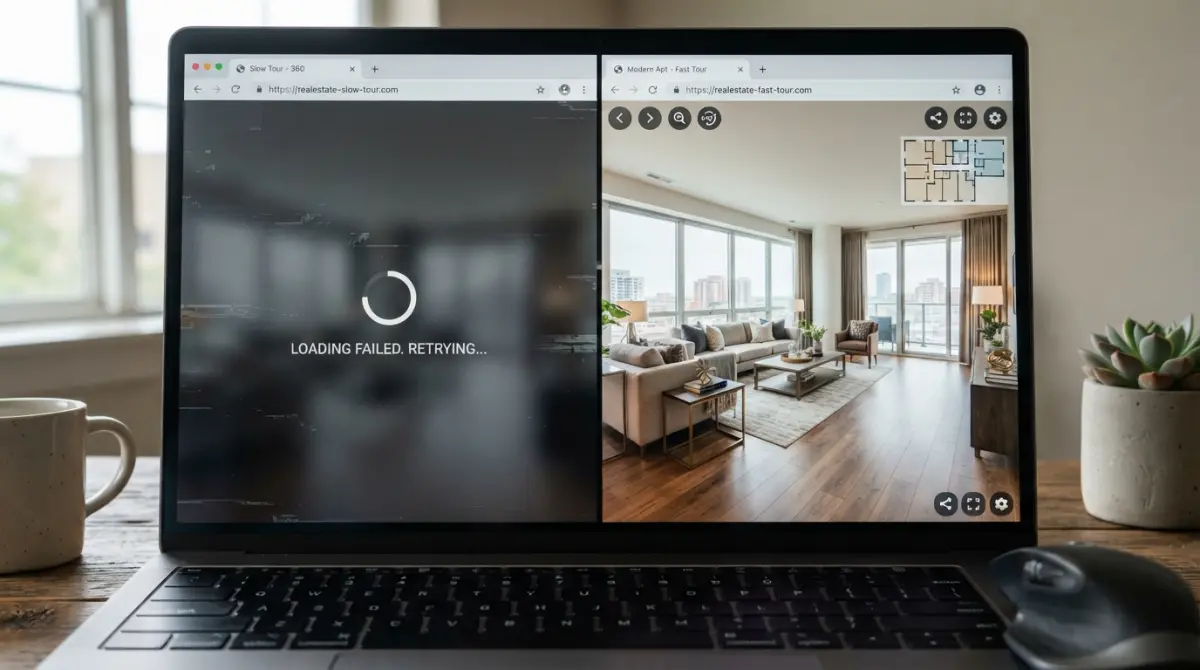
We’ve been brought in to diagnose slow sites enough times to have a shortlist of what goes wrong. In rough order of frequency:
- Embedding the tour at full page width on mobile without a reduced tile resolution set for small screens. Mobile networks can’t sustain the same image transfer rates as desktop broadband, and 4K tiles on a 390px-wide screen are pointless.
- Not setting an explicit aspect ratio on the iframe container, causing cumulative layout shift (CLS) as the page reflows when the embed loads. This tanks your Core Web Vitals score directly.
- Using the wrong embed URL — most tour platforms give you a shareable link and a separate embed link. The embed version is stripped down and loads faster. Developers often paste the wrong one.
- Loading multiple tours on a single page for a development with several unit types. Each initialises its own viewer instance. The fix is tabbed or accordion layouts that only initialise the active tour, destroying the others from the DOM when not visible.
- No fallback for users whose browsers or devices can’t run WebGL. Always have a static image fallback — either the facade preview image, or a link to a flat gallery view of the same spaces.
If your development is selling furnished units, the quality of the tour’s interior render matters enormously too. We’ve seen cases where tours are technically well-embedded but lose buyers because the render quality is poor — flat lighting, unconvincing materials, generic furniture. This connects directly to what’s covered in furnished vs unfurnished 3d interior renders which version sells offplan apartments faster and why. Technical performance and visual quality have to work together — there’s no point having a fast-loading tour that looks unconvincing.
Testing Your Embed Before the Listing Goes Live
Before any listing or microsite with a 360 tour goes live, run it through:
- Google PageSpeed Insights — check both mobile and desktop scores. Focus on Largest Contentful Paint (LCP) and Total Blocking Time (TBT). The 360 embed should not be your LCP element.
- WebPageTest.org with a simulated 3G connection — this shows you exactly what a mobile user on a weak signal experiences. If the tour is blocking anything critical, it’ll be obvious here.
- Chrome DevTools Network tab — sort by file size and look for what the tour is loading. If you see uncompressed images or duplicate script loads, that’s fixable before launch.
- Real device testing on iOS Safari — WebGL behaviour on Safari is different from Chrome, and some tour platforms have known rendering issues on older iPhones. Test this manually, not just in emulators.
Getting the Implementation Right from the Start
The cleanest approach is to think about embed strategy at the same time you commission the tour — not after delivery. When a developer comes to us for a 360 tour, we discuss the intended embed context as part of the brief. Is it going on a microsite we control? A portal listing? Both? That changes the export format, the tile resolution, the hosted page structure, and which platform we recommend for hosting the viewer. Knowing how to embed 360 virtual tour renders on developer websites and property portals without killing page speed isn’t something that should be solved retrospectively by a web developer working from a brief that doesn’t mention it.
The same thinking applies whether you’re commissioning a single tour for a flagship apartment or a full interactive experience for a large scheme. If you want to understand where virtual tours sit within a broader suite of visual assets for a development, 360 virtual tour rendering vs matterport scans which works better for offplan property sales is a useful comparison to read before making that decision.
If you’re planning a development launch and want to get both the render quality and the technical implementation right the first time, contact us at 360archviz.com. We work with developers and their web teams to make sure the asset performs as well on the page as it does visually — because one without the other isn’t good enough.
Frequently Asked Questions
What is the best way to embed a 360 virtual tour on a property website without slowing down page load speed?
The best approach is to use lazy loading combined with an iframe or JavaScript embed that only loads the 360 tour when the user interacts with it, such as clicking a preview thumbnail. This prevents the heavy 3D assets from blocking your page's initial load and keeps Core Web Vitals scores healthy. Tools like Matterport, Kuula, and Roundme all support lightweight embed codes that defer loading until triggered.
Does embedding a 360 virtual tour affect my website's Core Web Vitals or SEO rankings?
Yes, a poorly implemented 360 tour embed can significantly increase Largest Contentful Paint (LCP) and Total Blocking Time (TBT), which are key Core Web Vitals metrics that Google uses as ranking signals. To protect your SEO, always use a facade pattern where a static image placeholder is shown first and the full tour only loads on user click. This technique can reduce initial page weight by over 90% compared to auto-loading the full embed.
Can I embed a 360 virtual tour on a property portal like Rightmove or Zillow without custom coding?
Most major property portals have strict restrictions on custom JavaScript and iframe embeds, so direct embedding is often not possible without using their approved integration partners or listing enhancement tools. The most practical workaround is to include a clearly labeled link or button that opens the 360 tour in a new tab or modal hosted on your own domain or a supported virtual tour platform. Some portals like Zillow do offer native 3D home tour integrations through specific partners such as Matterport, which bypass these restrictions.
What file formats and hosting options are fastest for delivering 360 virtual tour content on developer websites?
Hosting your 360 tours on a dedicated CDN-backed platform like Cloudflare or through your virtual tour provider's own infrastructure is significantly faster than self-hosting large equirectangular image files. For still 360 images, WebP format with progressive loading offers the best balance of quality and file size, while video-based tours should use HLS streaming to serve adaptive quality based on the user's connection speed. Avoid embedding raw 8K JPEG panoramas directly into your page, as these can exceed 20MB and will devastate load times.
How do I test whether my 360 virtual tour embed is hurting my property website's page speed?
Run your listing page through Google PageSpeed Insights or WebPageTest both with and without the tour embed active to directly measure its impact on metrics like LCP, Total Page Size, and Time to Interactive. Pay close attention to the waterfall chart in WebPageTest, which will show you exactly when the tour assets begin loading and how long they block other resources. If the embed adds more than 500ms to your LCP or increases page weight beyond 3MB, you should implement a click-to-load facade pattern to defer the tour entirely.