
There’s a shift happening in planning consultations that anyone working in architecture or property development has probably noticed over the last few years. Why architects are replacing physical planning boards with interactive 3D renders at public consultation events isn’t a mystery once you’ve sat through both formats. A printed board pinned to a community hall wall, filled with section drawings and site plans, does almost nothing to help a resident understand what a proposed building will actually look like from their street. Interactive 3D renders do. They show scale, materiality, light at different times of day, and how the new structure sits next to what’s already there — without requiring the viewer to hold a architecture degree to interpret what they’re looking at.
We’ve worked with architects and developers across the UK, Europe, and the Middle East on projects ranging from residential schemes to mixed-use regeneration sites. Consistently, the teams who invest in strong visualisation before their public consultation tend to have smoother planning journeys. Not because they’re hiding anything — quite the opposite. The renders give residents enough visual information to have a real conversation rather than a fearful reaction to something abstract and unfamiliar.
Physical planning boards aren’t going away entirely. But their role is shrinking fast, and the reasons are both practical and psychological.
The Core Problem With Traditional Planning Boards
A physical planning board communicates a design to someone who already knows how to read architectural drawings. That’s a very small percentage of the people who attend public consultations. Floor plans, elevation drawings, and site layout diagrams are professional tools — they’re not intuitive to a teacher, a nurse, or a retired couple who live three streets from the proposed development.
When residents can’t understand what they’re looking at, anxiety fills the gap. They assume the worst. They object based on uncertainty rather than any specific, informed concern. Architects then spend time responding to objections that might never have arisen if the community had been given a clear visual picture from the start.
There’s also the issue of context. A flat elevation drawing shows you what a façade looks like in isolation. It doesn’t show how the building reads against the existing streetscape, how it handles shadows on the neighbouring garden, or how it will look in winter versus summer light. Interactive 3D renders can show all of that. The conversation that follows is fundamentally different — more specific, more productive, and usually less adversarial.
Why Architects Are Replacing Physical Planning Boards With Interactive 3D Renders at Public Consultation Events: What “Interactive” Actually Means
There’s a range of what “interactive” means in this context, and it’s worth being precise about it because the production requirements — and costs — vary considerably.
At the simpler end, you have high-quality static renders displayed on large screens instead of printed boards. These are already a significant improvement over drawings alone. Residents can zoom in on a screen. You can show multiple views without printing multiple A1 panels. You can update renders between consultation stages without reprinting everything.
Moving up from there, you have turntable animations and short flythrough sequences. These give the viewer a sense of the building in three dimensions without requiring any technical input from them. A 3d walkthrough vs 3d flythrough which presentation format wins more real estate approvals is a question we get asked regularly, and for consultation events specifically, walkthroughs tend to work better — they let residents feel like they’re moving through a space rather than watching it from a helicopter.
At the most immersive level, you have real-time 3D environments that a resident can navigate themselves using a touchscreen kiosk or a tablet. This is where the format becomes genuinely interactive. Someone can choose to walk from the proposed park entrance to the main façade. They can look left and see how the building meets the existing terrace. They can stand at a specific point that matters to them — the view from their own living room window, say — and understand exactly what will change.
For larger-scale schemes, 3d 360 virtual tour rendering is increasingly appearing at consultation events, giving attendees a headset or tablet experience that puts them inside the proposed development before a single brick has been laid. This format is particularly effective for mixed-use schemes where different stakeholders — residents, business owners, commuters — each care about a different part of the site.
The Role of Daylight and Context Accuracy
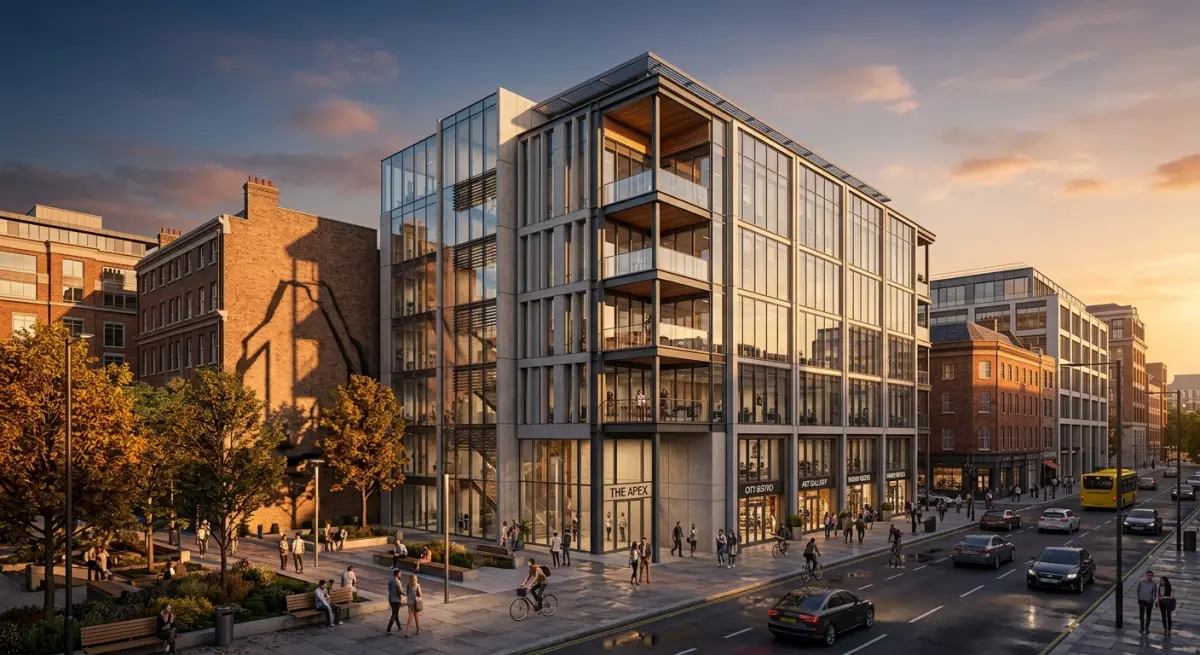
One of the most common objections at residential planning consultations is about overshadowing and loss of light. Physical planning boards almost never address this in a way a non-architect can understand. A sun path diagram means nothing to someone who hasn’t studied environmental design. An interactive render that shows the shadow cast by a proposed building at 9am in December, compared to what currently exists, is immediately legible to anyone.
This is one area where the technical quality of your renders genuinely matters to the planning outcome. Daylight simulation in architectural rendering how accurate sun studies are helping developers beat planning objections goes into this in detail — the short version is that accurate geo-located sun simulation, done properly, can directly address a committee’s concerns rather than leaving them to speculation.
Context accuracy matters too. Renders that drop a proposed building into a vague, idealised streetscape with generic cars and perfect weather don’t serve the consultation process well. Residents can tell when something looks “fake,” and it creates distrust. Renders that use real site photography, accurate neighbouring buildings, and honest material representation land very differently. They communicate that the design team has genuinely engaged with the place — not just produced a generic marketing image.
Level of Detail: Getting It Right for a Public Audience
One decision architects often get wrong is specifying too high or too low a level of detail for consultation renders. A full photorealistic interior render of every apartment type is expensive and not what a public consultation primarily needs. But a rough massing model with placeholder textures will be dismissed as too vague to be meaningful.
Understanding what level of architectural detail do you actually need in a 3d rendering lod 100 to lod 400 explained for developers helps here. For most public consultations, an LOD 200 to LOD 300 exterior is the sweet spot — enough detail to communicate materiality and scale accurately, without spending budget on details that won’t be visible at consultation viewing distances. Interior renders, if included at all, are typically used to convey quality and character rather than precise specification at this stage.
The most useful render package for a consultation event usually includes: exterior views from key public vantage points, an aerial overview showing the scheme in its neighbourhood context, a streetscape view from pedestrian level, and ideally a before/after comparison showing the existing site condition.
What Works in Practice — and What Clients Get Wrong
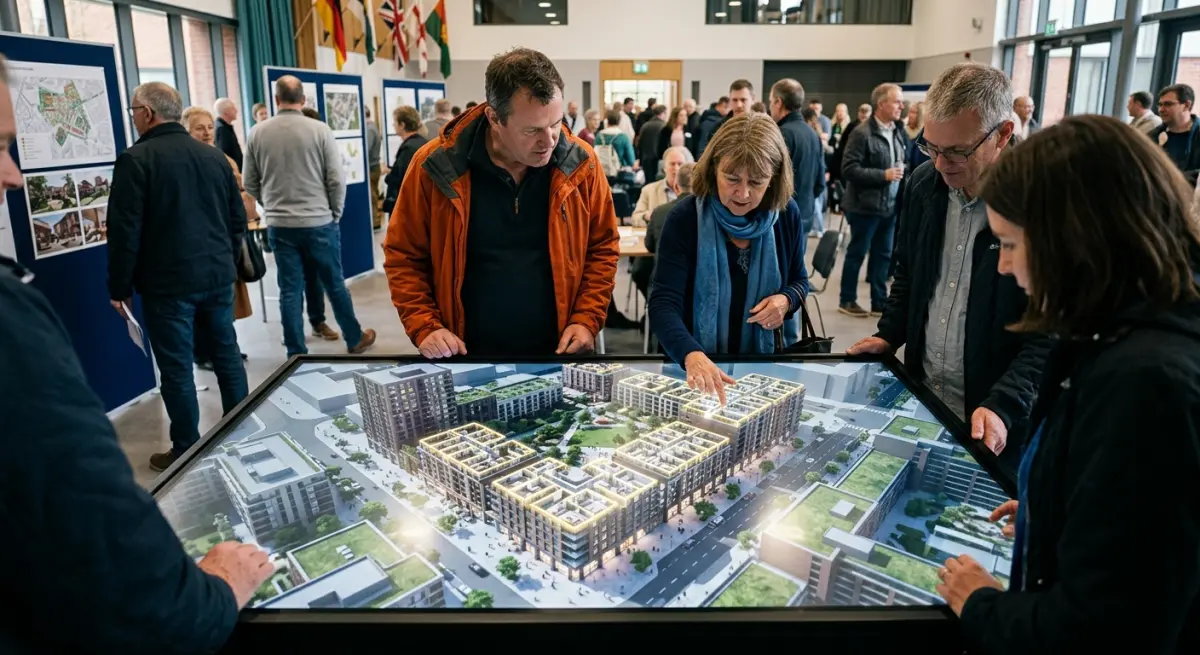
In our experience, the most common mistake is producing great renders and then presenting them badly. Dropping five images onto a PowerPoint slide and projecting it onto a wall is not an interactive consultation. Residents who want to look at a specific corner of the building, or understand a particular relationship to an existing structure, can’t do that from a slide deck.
The format of delivery matters as much as the quality of the renders. Here’s a comparison of how different formats typically perform at consultation events:
| Format | Resident Comprehension | Best Use Case | Production Complexity |
|---|---|---|---|
| Printed boards (drawings) | Low for non-architects | Formal planning submission documents | Low |
| Static renders on screen | Moderate — good for exterior character | Smaller schemes, early consultation | Low to moderate |
| Animated flythrough/walkthrough | High — spatial understanding improves significantly | Residential and mixed-use schemes | Moderate |
| Interactive real-time model | Very high — residents self-navigate | Larger schemes, contentious sites | High |
| 360 virtual tour | Very high — immersive, intuitive | Complex or phased developments | Moderate to high |
The second common mistake is updating the design after the renders are produced and not updating the renders to match. This sounds obvious but happens constantly. Residents who attended an earlier consultation and then see a different-looking scheme at the next stage become distrustful — understandably so. Build revision rounds into the brief from the start.
We’ve also seen the opposite error: architects producing highly polished, almost cinematic renders with dramatic lighting and aspirational lifestyle imagery — the kind that works well for a sales brochure — and then presenting them at consultation events where residents immediately recognise they’re being “sold to” rather than informed. Consultation renders should be honest and legible, not promotional. The distinction between residential exterior rendering styles compared photorealistic vs sketch vs watercolour which wins planning committees is genuinely relevant here — sometimes a slightly more illustrative, less glossy style communicates better trust at a consultation than a hyper-realistic image that reads as marketing.
Beyond Consultation: The Wider Planning Context
It’s worth noting that the renders produced for a public consultation don’t have to be single-use assets. Done well, exterior renders, aerial views, and animated walkthroughs can feed directly into the formal planning submission, into pre-application discussions with the planning authority, and eventually into sales and marketing materials once consent is granted.
For schemes involving sensitive land uses — healthcare facilities, later living developments, student accommodation — the quality and clarity of the visualisation work carries even more weight because the stakeholders include both public bodies and community members who may have heightened concerns about the scheme. We’ve seen how well this works in contexts like 3d rendering for later living and retirement developments how operators are marketing assisted living schemes offplan — where clear, honest renders help communities understand the actual character and quality of a proposed development rather than projecting fears based on past examples.
The aerial view is particularly underused in consultations. Showing a proposed development from above — in the context of its actual neighbourhood — communicates scale and fit in a way that no street-level view alone can achieve. Aerial 3d rendering at a public consultation event consistently prompts more specific, location-based questions from residents, which leads to better feedback for the design team and a more productive process overall.
Making the Investment Work
Architects sometimes hesitate on the cost of interactive renders for consultation, particularly on smaller residential schemes where budgets are tight. The honest answer is that the cost needs to be weighed against the cost of a failed consultation — redesign fees, delayed planning submissions, extended pre-application timescales, and the professional time spent managing objections that better communication might have prevented.
That calculation looks different for every project. But for any scheme where community objection is a realistic risk — which is most urban and suburban residential developments — the investment in clear, honest, interactive visualisation is usually one of the most cost-effective decisions a design team can make.
If you’re preparing for a public consultation and want to discuss the right render package for your scheme’s scale and complexity, contact us and we can walk you through what will actually serve your project — not just what looks impressive in a pitch.
Frequently Asked Questions
What are the main advantages of using interactive 3D renders over physical planning boards at public consultations?
Interactive 3D renders allow stakeholders to explore a proposed development from any angle, zoom into specific details, and visualize how a building will look at different times of day or in varying weather conditions, which static boards simply cannot replicate. They also enable real-time design modifications during the consultation session itself, making the feedback process far more dynamic and productive. This level of engagement has been shown to increase public confidence in the planning process and reduce objections caused by misunderstandings of the design intent.
How much does it cost to create interactive 3D renders for a public consultation compared to traditional physical planning boards?
While physical planning boards can cost anywhere from £500 to £5,000 depending on size and print quality, interactive 3D renders typically range from £2,000 to £20,000 depending on the complexity of the project and the level of interactivity required. However, architects note that 3D renders quickly become cost-effective because they can be updated digitally without reprinting, reused across multiple consultation events, and shared online to reach a wider audience. Over the lifecycle of a large project, the digital approach often proves significantly cheaper when accounting for revision and distribution costs.
Can members of the public with no technical background easily navigate interactive 3D planning renders at consultation events?
Yes, modern interactive 3D render platforms are specifically designed with intuitive touchscreen interfaces that require no prior technical knowledge, allowing members of the public to walk through a virtual model using simple swipe and pinch gestures. Architects typically station trained staff at consultation events to guide visitors through the experience and highlight key design features, ensuring accessibility for all age groups. Many platforms also offer simplified view modes that remove complex controls and let users focus purely on exploring the visual environment.
Are interactive 3D renders legally accepted as part of the formal planning consultation documentation in the UK and US?
In most jurisdictions, including the UK and US, interactive 3D renders are accepted as supplementary consultation materials but are not yet a mandatory replacement for formal planning drawings and documentation required by law. Planning authorities generally welcome their use as a public engagement tool because they improve community understanding, though architects must still submit traditional technical drawings and written statements as part of the statutory application process. As digital planning regulations continue to evolve, several UK local authorities are already piloting frameworks to formally incorporate 3D models into the planning submission process.
What software do architects most commonly use to create interactive 3D renders for public consultation events?
The most widely used platforms include Twinmotion, Lumion, and Enscape for high-quality real-time rendering, while Autodesk's suite and SketchUp are popular for building the underlying 3D models before visualization. For fully interactive web-based experiences that can be shared publicly or displayed on touchscreens at events, platforms like Shapespark, Matterport, and Unity-based custom builds are increasingly being adopted. The choice of software typically depends on the project scale, budget, and whether the render needs to be accessible remotely or only at in-person consultation events.


