Most revision rounds don’t happen because the render is wrong. They happen because the feedback was vague, scattered, or arrived in the wrong order. If you’ve ever sent a draft back with “make it feel warmer” and received something that felt different but not better, you know the problem. This guide on How to Review a 3D Render Draft: A Practical Feedback Checklist That Cuts Revision Rounds comes from years of watching drafts bounce back and forth between our studio and clients, and noticing the same patterns every time.
The short version: a draft is not a finished image with mistakes. It’s a stage in a pipeline, and each stage has things that are cheap to change and things that are expensive. Review the right things at the right time and you’ll finish in fewer rounds. Review everything at once, in no particular order, and you’ll pay for it in time.
Below is the process we’d want every client to follow, including what to check, in what order, and how to word it so an artist can act on it immediately.
Understand What Stage You’re Actually Looking At
Before you comment on anything, find out what the draft represents. A grey clay render, a textured but unlit preview, and a near-final image with post-production are three very different deliverables. Commenting on grass color in a clay model wastes everyone’s time, because no grass material has been applied yet.
Typically, a project moves through these stages:
| Stage | What it shows | What to review | What to ignore |
|---|---|---|---|
| Massing / clay | Geometry, camera, composition, no materials | Proportions, camera angle, crop, building accuracy, site layout | Color, light mood, texture |
| Materials and lighting | Textures, daylight setup, basic entourage | Material choices, time of day, shadow direction, landscaping | Fine noise, small retouching |
| Near-final | Full detail, people, vegetation, atmosphere | Color balance, small details, mood, polish | Anything structural (too late and costly) |
If a stage isn’t clear, ask. A good studio will tell you exactly what you’re looking at and what feedback is useful. Our own 3D rendering process is built around these checkpoints precisely so changes happen when they’re cheap.
The Geometry and Camera Pass: Review This First
Structural feedback has the highest cost when it arrives late. Moving a window after lighting and materials are finalized means re-rendering, re-checking reflections, and often redoing post-production. Moving it at the clay stage takes minutes.
At the first draft, check these against your drawings, not your memory:
- Dimensions and proportions: floor heights, window sizes, balcony depths, roof overhangs.
- Design intent: are the right facade elements in the right places? Has anything been simplified in a way you didn’t approve?
- Camera height and lens: eye-level views feel different from elevated ones. A very wide lens can make a small room look generous, but it also distorts edges and can feel dishonest.
- Composition and crop: what’s in the foreground, where the eye lands, whether vertical lines are straight.
- Site context: neighboring buildings, roads, trees, and orientation.
One thing clients often miss: the camera is a design decision. If the image is meant to sell a living room, the sofa blocking a third of the frame is a camera problem, not a furniture problem. Say what you want the image to communicate and let the artist solve it.
Materials, Lighting, and Mood: Be Specific About Feel

Once geometry is locked, the conversation shifts to atmosphere, and that’s where feedback tends to fall apart. Words like “premium,” “cozy,” or “fresh” mean different things to different people. Convert them into something observable.
Instead of “the lighting feels flat,” try “I’d like the sun lower, with longer shadows across the facade, and a warmer tone.” Instead of “the wood looks cheap,” try “the grain is too repetitive and glossy; the spec is matte oak with a visible, irregular grain.” Reference images help enormously here, as long as you say what you’re referencing. A photo of a sunset with a note saying “love this” is ambiguous. Is it the sky, the color temperature, or the contrast?
Check Lighting Logic
Look at where shadows fall and whether they agree with each other. Check that the time of day matches the story you’re telling: a residential launch image often works better in soft late-afternoon light than at noon, when shadows are harsh and surfaces wash out. For interiors, ask whether artificial lights are on or off and whether that matches the intended time of day.
Check Materials Against the Spec
Compare each material with your actual specification or sample. Check the scale as well as the color. A tile that is correct in color but sized wrong will read as the wrong product. Reflectivity matters too: polished stone, brushed metal, and frosted glass all behave differently under light, and a draft that gets this wrong looks off even if viewers can’t say why.
Entourage, Landscaping, and the Details That Sell Realism
People, cars, trees, and furniture are easy to ignore and easy to get wrong. They also carry a lot of the image’s credibility. Check whether the vegetation suits the climate and location. Palm trees in a northern European street scene will undermine the whole image. Check whether the people’s clothing and activity fit the project: office workers in a luxury residential courtyard send a mixed message.
Look at scale too. Humans, cars, and doors are the visual yardsticks viewers use to judge a building’s size. If a person looks slightly too large, the whole building will feel smaller than designed.
For interiors, scan for styling issues: clutter that hides the architecture, props that don’t match the brief, or empty surfaces that feel unfinished. Staging is part of the story, so say what the story is.
How to Write Feedback That Cuts Revision Rounds

This is the heart of how to review a 3D render draft without triggering endless back-and-forth. Here’s what works in practice.
Consolidate Before You Send
Gather every stakeholder’s comments into one document before sending. We’ve seen projects where the architect sends notes on Monday, the developer sends contradictory notes on Wednesday, and the marketing lead adds a third set on Friday. Each round restarts the clock. Appoint one person to reconcile conflicts and deliver a single, agreed set of changes.
Mark Up the Image, Number the Comments
Annotate directly on the draft with numbered callouts, then write a matching numbered list. “Item 4: reduce the reflection on the glass balustrade” is unambiguous. “The glass looks weird on the right” is not.
Separate Must-Fix From Preference
Label each comment: error (it contradicts the drawings or brief), change (a decision you’ve made), or suggestion (open to the artist’s judgment). This helps the artist prioritize and tells them where they have creative room.
Describe the Problem, Then the Goal
“The sky is too dramatic” is a reaction. “The sky competes with the building; I’d like softer clouds so the facade is the focus” gives the artist a goal and lets them choose the best method. Over-prescribing technical fixes can backfire, since you may ask for something that doesn’t achieve what you actually want.
Common Mistakes We See Clients Make
- Introducing new design changes late. A revised floor plan after the lighting stage is a rebuild, not a revision. Flag design changes the moment they happen.
- Judging on a phone. Small screens hide problems and exaggerate others. Review on a calibrated, full-size monitor where possible, and zoom in to 100% for detail checks.
- Fixating on noise or grain in an early draft. Draft renders are often deliberately low-quality for speed. Final output is cleaned up.
- Comparing to photographs of finished buildings. Real photos have flaws, weather, and context that renders don’t. Compare to your design intent, not to a stranger’s photo.
- Approving too quickly, then changing your mind. A rushed “looks good” on a clay stage followed by structural requests at the final stage is the most expensive pattern there is. Take the time at each checkpoint.
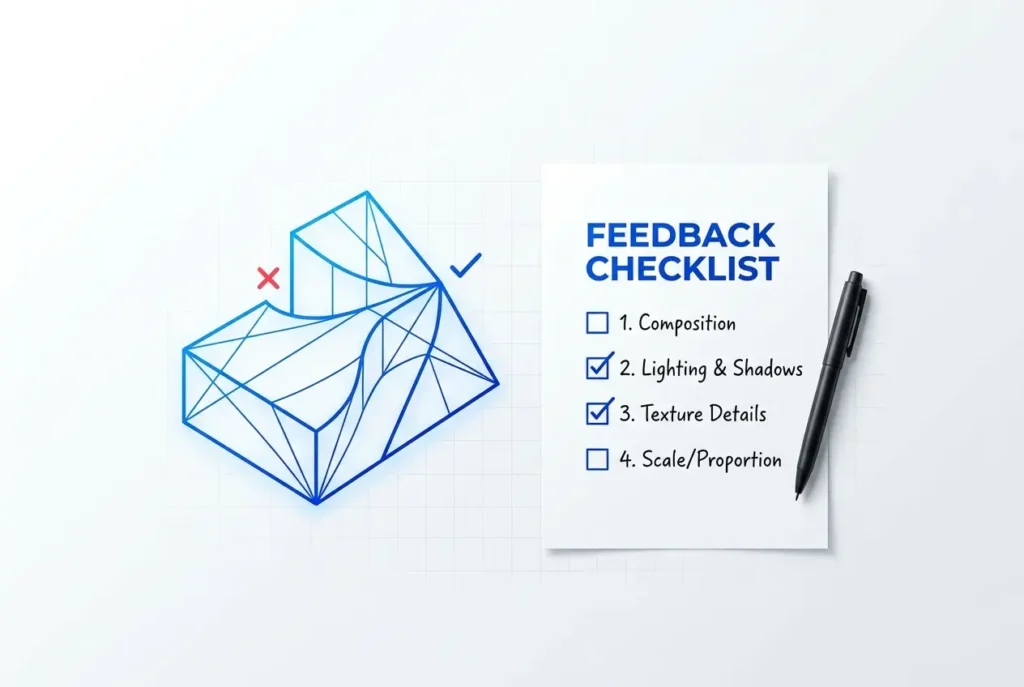
A Quick Checklist You Can Copy
- Do I know which stage this draft represents?
- Have I checked geometry and dimensions against the drawings?
- Is the camera telling the right story?
- Do materials match the spec in color, scale, and finish?
- Does the lighting suit the time of day and mood I want?
- Are people, plants, and props appropriate for the location and audience?
- Has every stakeholder’s feedback been merged into one list?
- Is each comment numbered, located on the image, and labeled by priority?
Wrapping Up
Good feedback is a skill, and it’s one you can learn quickly. Review in the right order, say what you want the image to achieve, and send one consolidated set of notes. Do that and most projects land in far fewer rounds, with a better result at the end.
If you’re planning a project and want a process that builds these checkpoints in from the start, take a look at our architectural 3D rendering services or get in touch with our team to talk through your brief.
Frequently Asked Questions
What should I check first when reviewing a 3D render draft?
Start with the big-picture elements before any fine details: camera angle, composition, scale, proportions, and overall layout. These are the most expensive things to change later, so catching problems here prevents rework on lighting, materials, and post-production. Compare the draft against your brief or reference images to confirm the core concept is correct.
How do I give clear feedback on lighting and materials in a 3D render?
Be specific about what you see and what you want, using reference images and terms like time of day, light direction, warmth, glossiness, or texture scale. Instead of saying 'make it look better,' say 'soften the shadows and warm up the light to match the late-afternoon reference.' Mark exact areas on the image so the artist knows precisely where each note applies.
How many revision rounds are normal for a 3D rendering project?
Most projects need two to three rounds: one for layout and composition, one for materials and lighting, and a final polish pass. Consolidated, well-organized feedback can often reduce this to fewer rounds, while scattered or contradictory notes tend to add extra ones. Agree on the number of included rounds and the scope of each stage before the project starts.
What is the best way to annotate and organize feedback for a 3D artist?
Use a single consolidated document or a markup tool where you can place numbered comments directly on the render image. Group notes by priority (critical, important, nice-to-have) and by category such as geometry, lighting, materials, and postproduction. Gather all stakeholders' input into one unified list before sending it, so the artist doesn't receive conflicting instructions.
What common mistakes in render feedback cause extra revisions?
The most common mistakes are vague comments, contradicting notes from different stakeholders, and requesting major changes late in the process, such as altering the layout during the final polish stage. Sending feedback in piecemeal batches also forces the artist to redo work repeatedly. Using a checklist, giving visual references, and approving each stage before moving on keeps revisions focused and minimal.