Planners don’t reject petrol station and drive-thru applications because the architecture is ugly. They reject them because they can’t tell what the site will do to the road, the neighbours and the skyline at night. This is where 3D Rendering for Petrol Station and Drive-Thru Developments: What Operators Need to Show Planners on Traffic, Canopies and Signage becomes a practical planning tool rather than a marketing extra. A good set of visuals answers the questions a case officer is already asking before they ask them.
Fuel and quick-service sites are awkward to illustrate. They’re low buildings with big, bright, repetitive elements: a canopy that’s wider than the shop, pylon signs that can be seen from a distance, queues of cars, tanker movements, and lighting that runs late. Each of these is a planning issue in its own right. A single pretty daytime perspective hides most of them.
Below is what we’ve learned producing visuals for this building type, and what operators should insist on before commissioning anything.
Why These Sites Get Scrutinised Differently
A petrol station or drive-thru is a traffic generator first and a building second. Objectors rarely argue about the facade material. They argue about queues spilling onto the highway, headlights sweeping into bedroom windows, noise from speaker posts, and a glowing canopy visible from the next village.
That means your visuals need to show behaviour, not just form. Static architectural imagery proves the building exists. Planning imagery has to prove the site works and sits quietly in its setting. Those are different briefs, and mixing them up is the most common mistake we see.
Showing Traffic Without Pretending to Be a Traffic Engineer
Let’s be clear about a boundary: a render doesn’t replace a transport assessment, swept path analysis or a queue study. What it does is translate those drawings into something a councillor can read in five seconds.
The useful traffic views are:
- Entry and exit geometry from driver eye level. Visibility splays and junction positions look abstract on a plan. From the driver’s seat they make sense.
- Drive-thru queue stacking. Show the lane filled to the capacity your consultant has modelled, with cars sitting in the actual stacking length. If the lane visibly runs close to the access, the planner will see it, so it’s better you know first.
- Tanker delivery and bin lorry movements. A still frame or short animation of the vehicle entering, positioning over the tank fill points and leaving, built from the real swept path geometry.
- Pedestrian and cycle routes. Crossings, footways and how a customer on foot reaches the shop door.
The key is that the 3D model must be built from the engineer’s drawings, not approximated by eye. We import the CAD, set vehicle dimensions to match the design vehicle in the assessment, and keep the lane widths honest. If a render shows a tanker turning more comfortably than the swept path does, you’ve created a credibility problem the moment someone overlays the two.
Canopies: Scale, Light and Fuel Pump Layout

The canopy is usually the most visible object on the site. It’s large, flat, bright underneath and often branded in saturated colour. Planners care about its height, its spread and its edge profile against the sky.
Height and massing
Show the canopy beside the shop, the pylon and nearby buildings, at the real heights. Where possible, add a view from the nearest residential frontage or the main approach road. Wide-angle lenses can make a canopy look smaller and further away than it is, so we match the lens to what a person would actually see, typically a normal-to-moderate focal length, and state it on the image.
Underside lighting
This is where renders often cheat. Canopy lighting is designed to be bright so drivers feel safe and see the forecourt clearly. In a night render, the lighting should use the actual fitting data. Photometric IES files from the lighting designer let us reproduce real spill and pooling rather than a generic glow. If your lighting consultant has specified recessed, flat-glass luminaires to limit upward light, the render should show that restraint honestly.
Pump islands and circulation
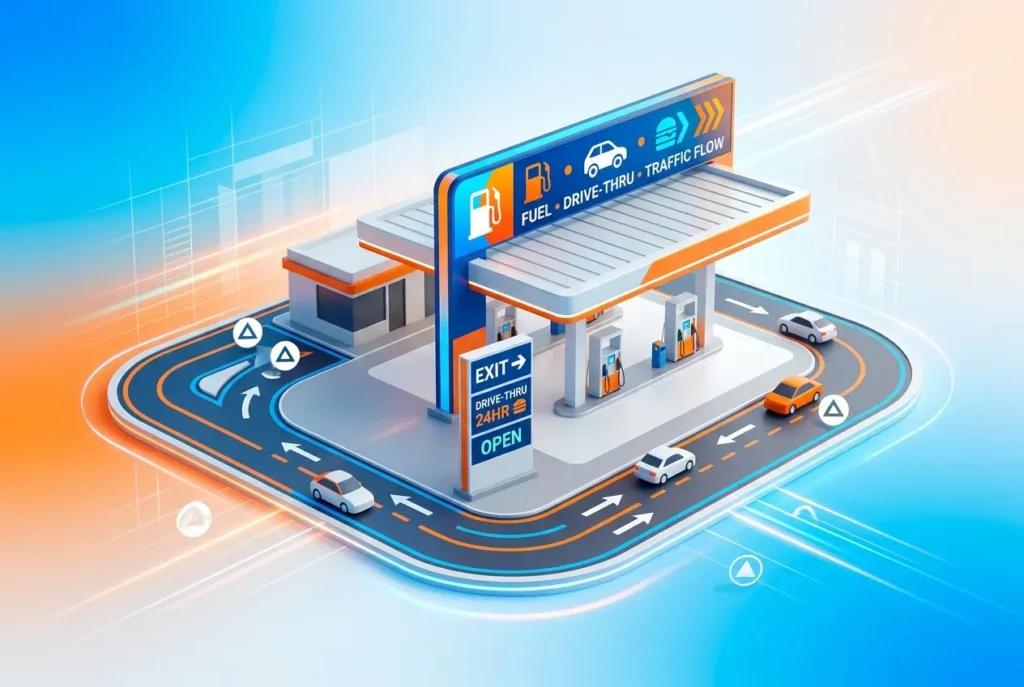
Plan an aerial view that shows pump positions, vehicle approach paths, EV charging bays if they’re included, and the air and water point. It helps the planner understand why the canopy is the size it is.
Signage: The Detail That Decides Conditions
Signage is often handled by a separate consent route, but planners still judge it as part of the whole. Pylons, totem signs, canopy fascia branding, menu boards and directional signs all contribute to visual clutter.
A signage package in a render should show:
- Each sign at its correct size, height and illumination level.
- Day and night versions, since illuminated signs behave very differently after dark.
- Drive-thru menu boards and order points, including screen glow.
- Approach views from the road, because the sign’s job is to be read at distance.
One thing we’ve noticed: operators supply brand guidelines showing signs at their most generous. If the local authority will want a reduced scheme, it’s smarter to show the compliant version up front than to wait for a condition that cuts it down.
Practical Observations: What Works and What Clients Get Wrong

These are patterns that come up repeatedly in our studio.
- Only commissioning a hero shot. One glossy dusk image looks good in a brochure but gives the planner nothing to verify. A set of four to six defined viewpoints is far more useful.
- Using a sunny blue sky for everything. Overcast conditions are more honest for most planning contexts and stop the canopy glare looking exaggerated either way.
- Leaving out the neighbours. A site rendered in isolation invites suspicion. Include adjacent houses, boundary treatments, landscaping and any retained trees, and model them from survey data.
- Ignoring landscaping maturity. New planting looks sparse at completion. Show it at planting stage, not at fifteen years, unless you label both.
- Changing the design after rendering. Petrol and drive-thru layouts shift often, especially around queue length and access position. Lock the engineering drawings before the final models, or build the scene so layout changes are quick to update.
- Not labelling the images. Each view should say where it’s taken from, the lens used and whether it’s day or night. Verified view methods, where required, are strengthened by this.
Night views deserve the most care
Objectors imagine the worst: floodlit forecourts, glare, a glowing box in the dark. A restrained, accurate night render built from real fixture data is often the most reassuring image in the whole application. A lazy, overexposed one does the opposite. Exposure matters here. We set camera exposure to resemble what the eye perceives at night, not the long-exposure look that makes everything bright and blown out.
Choosing the Right Deliverables
| Planning question | Best visual |
|---|---|
| How does the site sit in its context? | Eye-level views from road and nearest homes |
| Will queues back onto the road? | Aerial view with queue at modelled capacity |
| Can deliveries manoeuvre safely? | Short animation using swept path geometry |
| How bright will it be at night? | Night views with photometric lighting data |
| How intrusive is the signage? | Day and night approach views with scaled signs |
Animation is worth considering for movement-heavy questions. A short walkthrough or drive-through shows sequence, such as arriving, ordering, collecting and leaving, which stills cannot. If that suits your application, our 3D animation services cover this kind of work.
Conclusion: Make the Visuals Answer the Objections
The best planning visuals for fuel and drive-thru sites are built backwards from the likely objections: traffic, canopy bulk, light and signage. Get the engineering data in early, agree viewpoints with your planning consultant, and keep every image honest enough to survive an overlay check. That is the practical value of 3D Rendering for Petrol Station and Drive-Thru Developments: What Operators Need to Show Planners on Traffic, Canopies and Signage: it shortens the distance between your design and a planner’s confidence.
If you’re preparing an application and want to talk through which views will carry the most weight, get in touch with our team and send over your drawings. We’ll tell you plainly what’s worth rendering and what isn’t.
Frequently Asked Questions
What should a 3D rendering of a petrol station show to support a planning application?
It should show the full site in context, including the forecourt layout, pump islands, canopy height and footprint, shop building, boundary treatments, landscaping and neighbouring properties. Include day and night views so planners can judge visual impact, lighting spill and how the site sits within the streetscape. Accurate, scaled models based on survey data carry far more weight than illustrative artwork.
How can 3D visualisations demonstrate traffic flow and vehicle movements for a drive-thru development?
Renders and animated walk-throughs can show entry and exit points, queuing lanes, order points, pickup windows, bypass lanes and pedestrian crossings. Overlaying swept path diagrams and queue lengths from your transport assessment helps planners and highways officers see that vehicles will not back up onto the public road. These visuals support, but do not replace, the technical traffic data.
Do planners need 3D renders of canopy height and lighting for petrol station applications?
Yes, canopies are often the most visually dominant feature, so planners and neighbours want to see their height, fascia depth, materials and lighting levels in context. Night-time renders showing LED downlighting and illuminated fascias help address concerns about glare, light pollution and residential amenity. Pairing them with a lighting assessment strengthens the case.
How do you show signage in 3D renders for planning and advertisement consent?
Show totem pylons, canopy fascia signs, building signage and directional signs at their exact proposed size, position and illumination level, ideally in verified views from public vantage points. Include dimensions and luminance values in the accompanying drawings, since advertisement consent often assesses amenity and public safety separately. Clear visuals help officers decide quickly and reduce requests for amendments.
What are verified views (photomontages) and when are they needed for fuel station or drive-thru schemes?
Verified views are photomontages that place an accurately scaled 3D model into photographs taken from agreed locations, using survey-matched camera data so the result is geometrically precise. They are typically needed for sites in sensitive locations such as conservation areas, green belt, or near homes, or where the council requests a visual impact assessment. Agree viewpoints with the planning officer early to avoid rework.